> For the complete documentation index, see [llms.txt](https://guide.valpashotels.com/llms.txt). Markdown versions of documentation pages are available by appending `.md` to page URLs; this page is available as [Markdown](https://guide.valpashotels.com/jp/valpasnoidesukutoppudasshubdo/nodejitaru.md).
# 安全のデジタル証明書
ゲストに安心を提供します
**Valpasのデジタル安全証明書**は、客室がValpasによって保護され、**Valpas認証のトコジラミセーフ**であることをゲストに示すものです。証明書は客室ごとに用意されています。
## ゲストを安心させるための証明書の使用
ゲストが不安を示した場合は、その客室の**デジタル安全証明書**を画面で提示するか、PDFでダウンロードして送付してください。証明書には次の内容が表示されます。
* **お部屋は保護されています**
* ホテル名と部屋番号
* 客室内のValpas SafeSleepベッドレッグ(それぞれに、客室を保護していることを示す緑の点)
 ## デジタル安全証明書の開き方
{% stepper %}
{% step %}
### 「概要」を開く
デスクトップダッシュボードの左側メニューで[概要](/jp/valpasnoidesukutoppudasshubdo/gai-yao.md)をクリックします。客室の一覧が表示されます。
{% endstep %}
{% step %}
### 客室を選ぶ
客室をクリックすると、その証明書が開きます。
{% endstep %}
{% step %}
### 証明書を提示またはダウンロードする
証明書を画面で提示するか、右上の**ダウンロード**をクリックしてPDFとして保存し、メール送付や印刷に使用します。
{% endstep %}
{% endstepper %}
## デジタル安全証明書の開き方
{% stepper %}
{% step %}
### 「概要」を開く
デスクトップダッシュボードの左側メニューで[概要](/jp/valpasnoidesukutoppudasshubdo/gai-yao.md)をクリックします。客室の一覧が表示されます。
{% endstep %}
{% step %}
### 客室を選ぶ
客室をクリックすると、その証明書が開きます。
{% endstep %}
{% step %}
### 証明書を提示またはダウンロードする
証明書を画面で提示するか、右上の**ダウンロード**をクリックしてPDFとして保存し、メール送付や印刷に使用します。
{% endstep %}
{% endstepper %}
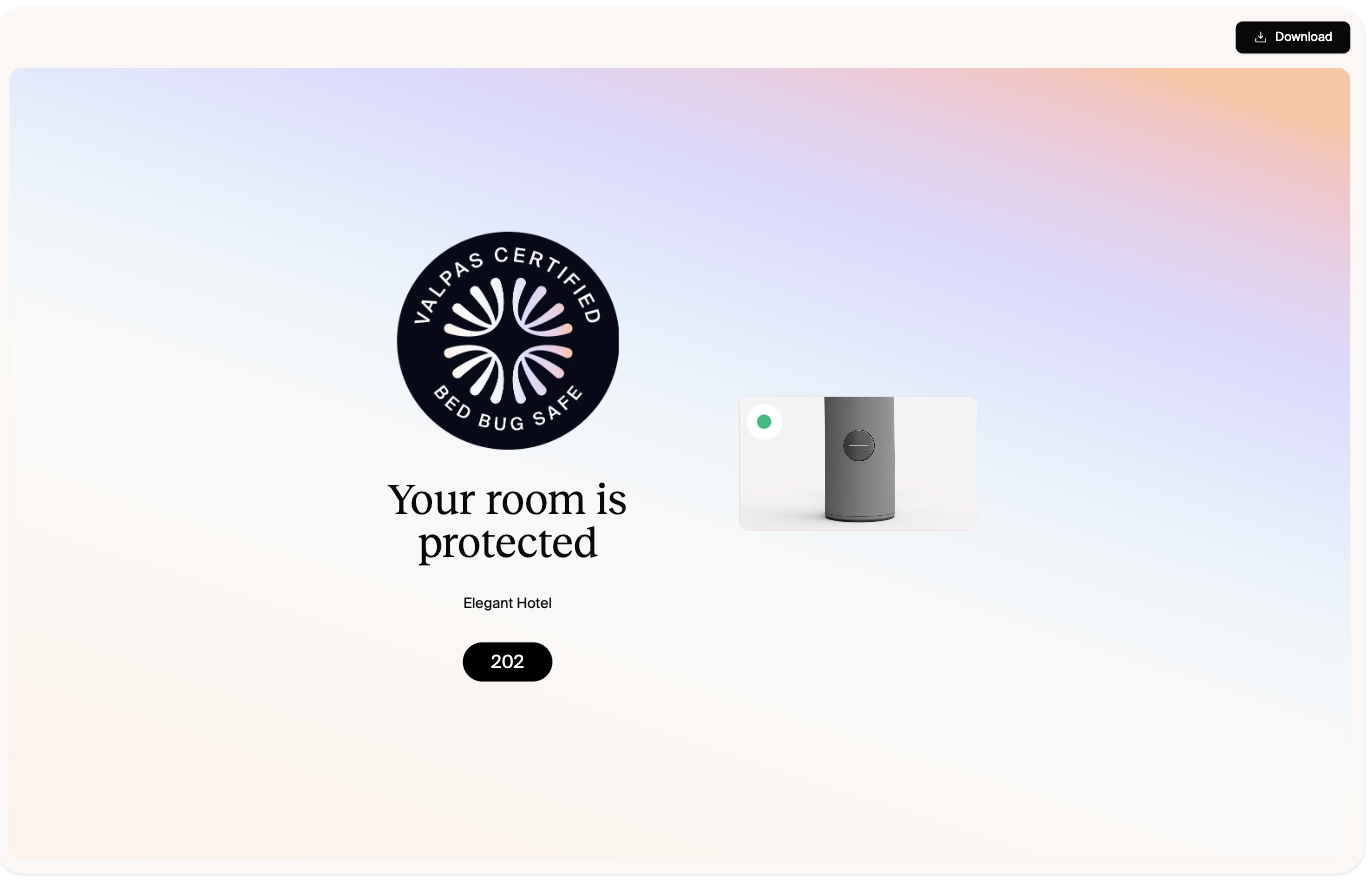
Valpas デジタル安全証明書
{% hint style="info" %}
ダッシュボードでゲストの懸念に対応する際は、**デジタル証明書を共有**から同じ証明書を新しいタブで開けます。
{% endhint %}
{% hint style="success" %}
この証明書は客室単位のゲスト向けのものです。顧客、出張手配の担当者、法人パートナーから**ホテル**の認証の証明を求められた場合は、[Certification](/jp/valpasnoidesukutoppudasshubdo/certification.md)ページの**Share certificate**を使用してください。
{% endhint %}