# 概要

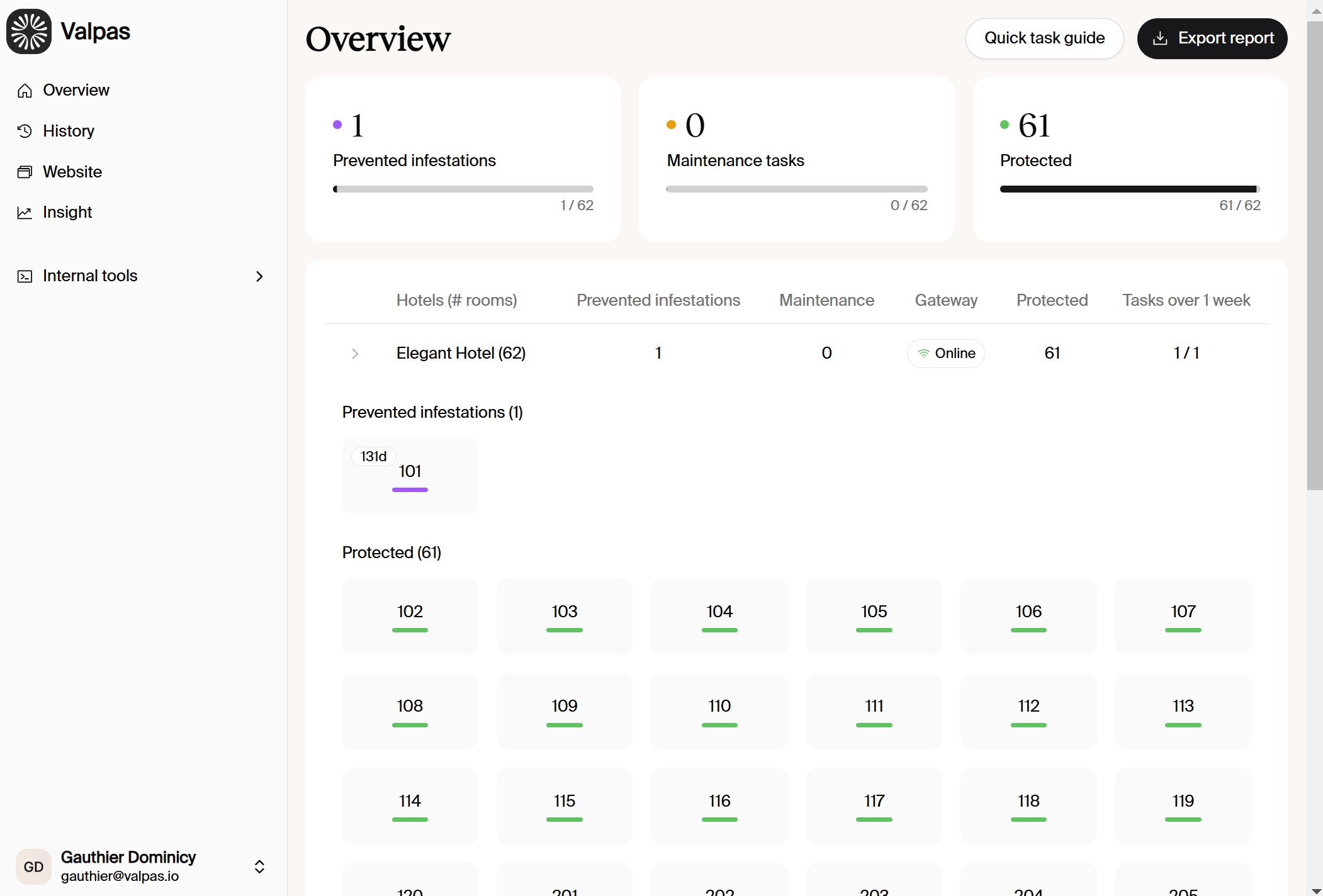
デスクトップダッシュボードの **概要** タブでは、Valpasスマートデバイスが装備されたすべての客室の一覧が表示されます。各部屋の状況や注意が必要な以下のようなタスクを素早く把握できます:

* **予防タスク**
* **メンテナンスタスク**

この表示はルーターがオンラインかどうかも示します。貴施設の各客室のスマートデバイスが接続され、継続的な予防が有効であることを確認できます。

<figure><img src="/files/sNmEMaayTDtBu88dTk7v" alt=""><figcaption><p>Hotel "Overview" tab in Valpas web dashboard</p></figcaption></figure>

## 色分けの表示:

<mark style="color:$success;">**保護済み（緑）**</mark>：部屋は保護され安全です。**Valpas 認定のトコジラミ対策済み**であることを示します。

<mark style="color:purple;">**予防（紫）**</mark>：対応が必要です。タスクを完了するためにはValpasモバイルアプリを使用してください。

<mark style="color:yellow;">**メンテナンス（黄）**</mark>：Valpasスマートデバイスのメンテナンスが必要であるか、電池残量が少ないです。\
問題を解決するためにはValpasモバイルアプリを使用してください。


---

# Agent Instructions: Querying This Documentation

If you need additional information that is not directly available in this page, you can query the documentation dynamically by asking a question.

Perform an HTTP GET request on the current page URL with the `ask` query parameter:

```
GET https://guide.valpashotels.com/jp/valpasnoidesukutoppudasshubdo/gai-yao.md?ask=<question>
```

The question should be specific, self-contained, and written in natural language.
The response will contain a direct answer to the question and relevant excerpts and sources from the documentation.

Use this mechanism when the answer is not explicitly present in the current page, you need clarification or additional context, or you want to retrieve related documentation sections.