# 解決すべきタスクの見つけ方

## タスクを見つける

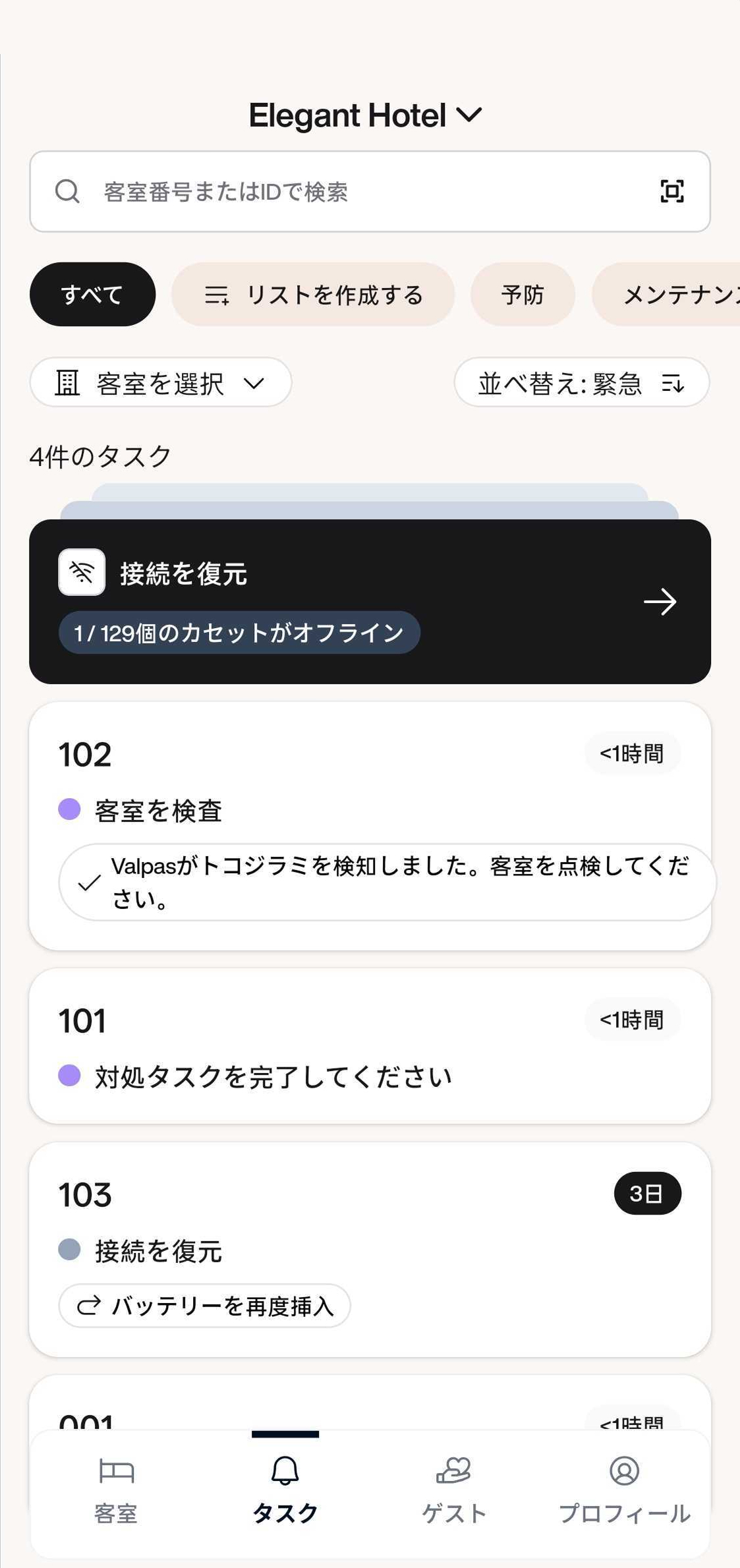
1. Valpas モバイルアプリで、下部ナビゲーションバーから「タスク」をタップします。
2. 対応が必要なすべてのタスクの一覧が表示されます。
3. それらを開き、各タスクを解決するためにアプリ内の指示に従ってください。

<figure><img src="/files/Pjdq6EDQoJXKeIMZR4kC" alt="" width="375"><figcaption><p>Tasks view when there is no tasks</p></figcaption></figure>

<mark style="color:purple;">**予防タスク（紫の点）**</mark><mark style="color:紫;">:</mark> Valpas のスマートデバイスが何かしらの物体を検出しました。トコジラミやその他の害虫の可能性があります。タスクを開き、予防タスクと調査のために Valpas モバイルアプリの指示に従ってください。

<mark style="color:$warning;">**メンテナンスタスク（黄色の点）**</mark><mark style="color:黄色;">:</mark> Valpas のスマートデバイスの電池が切れているか、メンテナンスが必要です。タスクを開きValpas モバイルアプリを使って、電池交換をするか必要なメンテナンスを行ってください。


---

# Agent Instructions: Querying This Documentation

If you need additional information that is not directly available in this page, you can query the documentation dynamically by asking a question.

Perform an HTTP GET request on the current page URL with the `ask` query parameter:

```
GET https://guide.valpashotels.com/jp/subekitasukunotsuke.md?ask=<question>
```

The question should be specific, self-contained, and written in natural language.
The response will contain a direct answer to the question and relevant excerpts and sources from the documentation.

Use this mechanism when the answer is not explicitly present in the current page, you need clarification or additional context, or you want to retrieve related documentation sections.