> For the complete documentation index, see [llms.txt](https://guide.valpashotels.com/llms.txt). Markdown versions of documentation pages are available by appending `.md` to page URLs; this page is available as [Markdown](https://guide.valpashotels.com/francais/utiliser-valpas-lapplication-mobile/trouver-les-taches-a-resoudre.md).
# Trouver les tâches à résoudre
## Trouver les tâches à résoudre
1. Dans l’application mobile Valpas, appuyez sur le bouton **Tâches** dans la barre de navigation inférieure.
2. Vous verrez une liste de toutes les tâches nécessitant une action.
3. Ouvrez-les une par une et suivez les instructions affichées dans l’application pour résoudre chaque tâche.
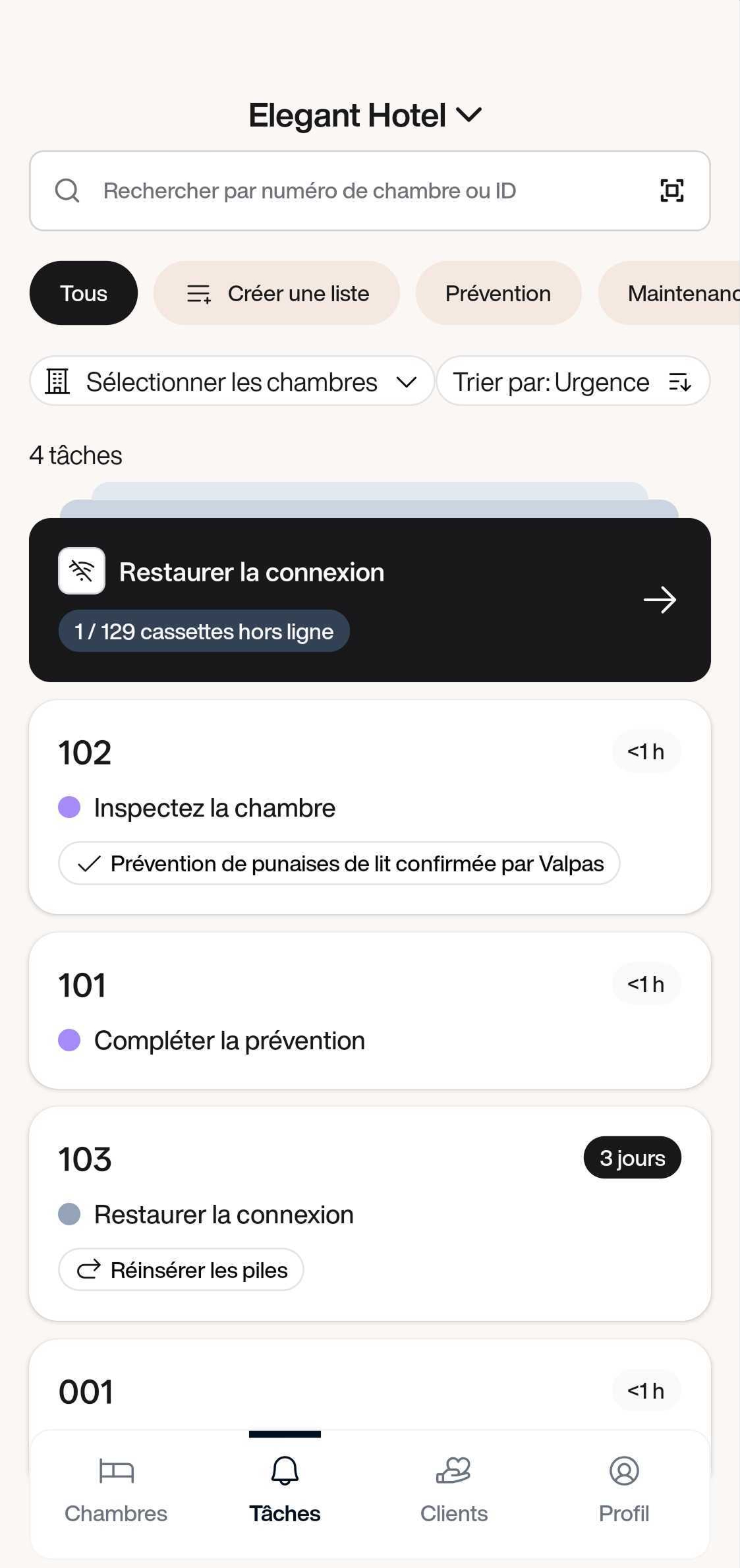
Vue des tâches dans l’application mobile Valpas
Chaque tâche affiche le numéro de la chambre, ce qu’il faut faire, et depuis combien de temps elle est ouverte.
**Tâche de prévention (point violet)** : Le pied de lit SafeSleep Valpas a détecté un élément inhabituel, potentiellement une punaise de lit ou un autre insecte. Ouvrez la tâche et suivez les instructions dans l’application mobile Valpas pour enquêter et résoudre la prévention.
**Tâche de maintenance (point jaune)** : Le pied de lit SafeSleep Valpas est à court de batterie ou nécessite une intervention. Ouvrez la tâche et utilisez l’application mobile Valpas pour remplacer la batterie ou effectuer la maintenance nécessaire.
**Restaurer la connexion (point gris)** : Une cassette est passée hors ligne. Ouvrez la tâche et suivez les instructions pour la remettre en ligne. Si plusieurs cassettes sont hors ligne, elles sont regroupées dans une seule fiche en haut de la liste afin de les traiter ensemble.